01. RTX 광선 추적 렌더링
Isaac Sim의 렌더러는 Omniverse RTX 렌더러를 그대로 사용한다. 광선 추적 (RealTime)은 RT 코어로 실시간에 가까운 1차 반사·그림자, 패스 트레이싱은 다중 바운스 GI·코스틱스까지 정확하게 풀어낸다. UsdPreviewSurface · MDL 표준 머티리얼이 그대로 동작하고, 헤드리스 모드에서도 동일한 품질로 SDG 파이프라인을 자동화할 수 있다.
이 기능의 강점
- 사진 수준의 광선 추적/패스 트레이싱 — 합성 데이터의 sim-to-real 격차 축소
UsdPreviewSurface· MDL · OmniPBR 같은 표준 PBR 머티리얼 그대로 사용- RT 코어·텐서 코어 활용 (DLSS, Denoiser 내장)
- 헤드리스 모드에서도 동일한 렌더 품질 — CI/CD로 SDG 파이프라인 자동화 가능
구현 방법
SimulationApp({"headless": True, "renderer": "RayTracedLighting"})로 부팅, UsdLux 돔라이트 + UsdShade UsdPreviewSurface 머티리얼을 prim에 바인딩, Replicator create.camera + create.render_product + BasicWriter로 PNG 출력.
최소 데모
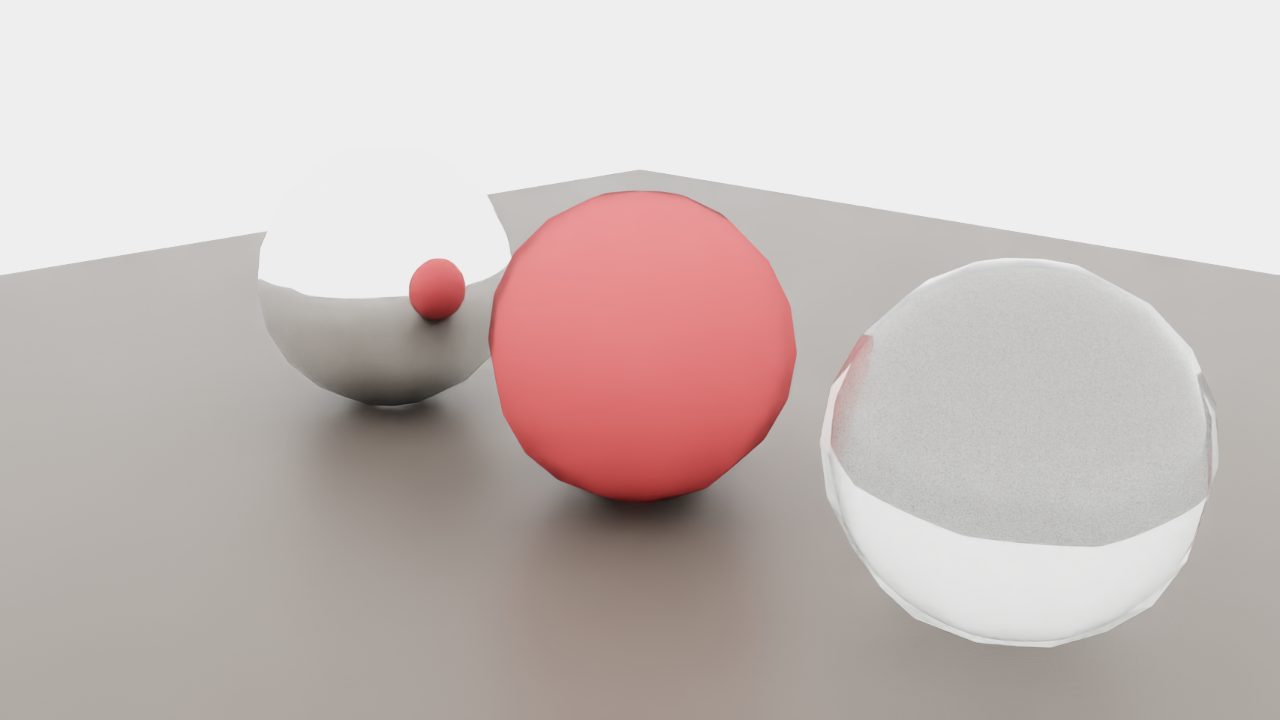
검증 결과
크롬 구는 다른 구의 색을 표면에 반사하고, 유리 구는 반투명·내부 반사가, 무광 구는 부드러운 그림자만 떨어진다.
핵심 코드 발췌
from isaacsim import SimulationApp
sim = SimulationApp({"headless": True, "renderer": "RayTracedLighting"})

import omni.replicator.core as rep
from pxr import UsdShade, UsdLux, Sdf

rep.functional.create.dome_light(intensity=1500, parent="/World", name="Dome")
mat = UsdShade.Material.Define(stage, "/World/Chrome")
shd = UsdShade.Shader.Define(stage, "/World/Chrome/S")
shd.CreateIdAttr("UsdPreviewSurface")
shd.CreateInput("metallic", Sdf.ValueTypeNames.Float).Set(1.0)
shd.CreateInput("roughness", Sdf.ValueTypeNames.Float).Set(0.05)
mat.CreateSurfaceOutput().ConnectToSource(shd.ConnectableAPI(), "surface")

cam = rep.functional.create.camera(position=(3.5,-3.5,2), look_at=(0,0,0.5))
rp = rep.create.render_product(cam, (1280, 720))
writer = rep.writers.get("BasicWriter")
writer.initialize(backend=rep.backends.get("DiskBackend"), rgb=True)
writer.attach(rp)
rep.orchestrator.step()실무 예제 — Simple_Warehouse + Spot 로봇 + 패스 트레이싱
NVIDIA 공식 자산 Simple_Warehouse 환경과 Boston Dynamics Spot 로봇을 동시에 로드하고, /rtx/rendermode = "PathTracing" 모드로 다중 바운스 GI를 적용한 산업 SDG 시나리오 렌더.
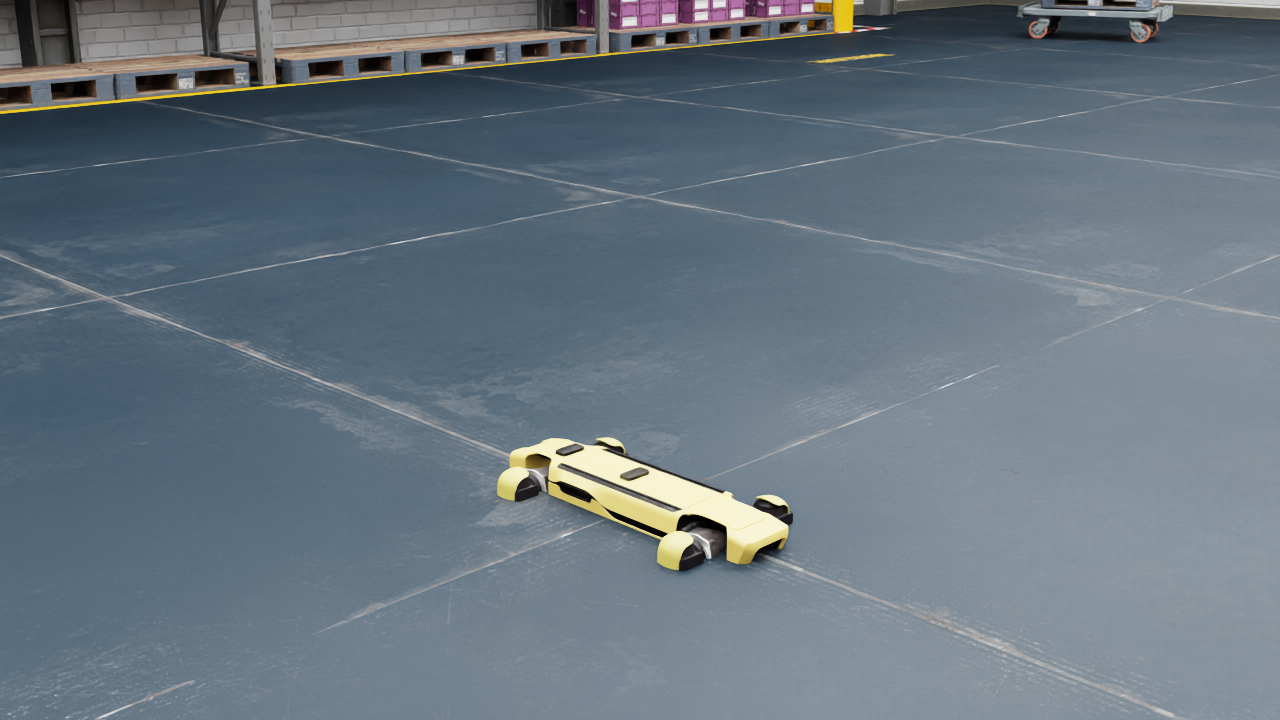
창고의 콘크리트 바닥, 적재 선반, Spot의 보행 자세가 실제 공장 데이터셋에 가까운 톤으로 렌더된다. get_assets_root_path URL 한 줄로 Boston Dynamics 로봇 USD를 그대로 끌어와 사용.
실무 데모 코드
from isaacsim.storage.native import get_assets_root_path
from isaacsim.core.utils.stage import add_reference_to_stage
import carb.settings

s = carb.settings.get_settings()
s.set("/rtx/rendermode", "PathTracing")
s.set("/rtx/pathtracing/spp", 32)

assets = get_assets_root_path()
add_reference_to_stage(usd_path=assets + "/Isaac/Environments/Simple_Warehouse/warehouse.usd",
                       prim_path="/World/Warehouse")
add_reference_to_stage(usd_path=assets + "/Isaac/Robots/BostonDynamics/spot/spot.usd",
                       prim_path="/World/Spot")